Integrating Typography Word Love into Your Creative Workflow
In the fast-paced world of digital design and content creation, efficiency is not just a luxury; it is a necessity. Whether you are a freelance graphic designer, a small business owner managing your own marketing, or a hobbyist creating handmade gifts, the assets you choose can significantly impact your output quality and turnaround time. This is where Typography Word Love enters the equation. It is more than just a collection of pretty letters; it is a strategic resource designed to streamline the visual communication process. By understanding how to effectively integrate these vector-based elements into your existing workflows, you can elevate your projects from concept to completion with greater ease and professional polish.
Understanding the Asset Specifications
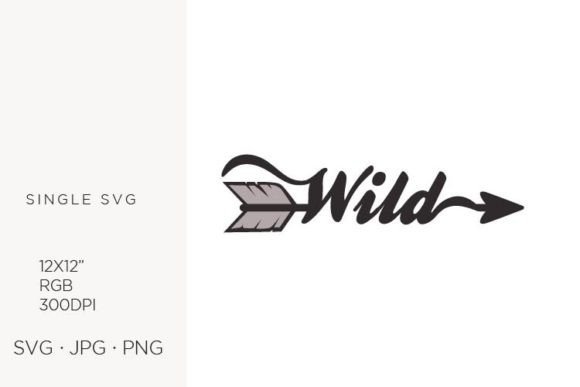
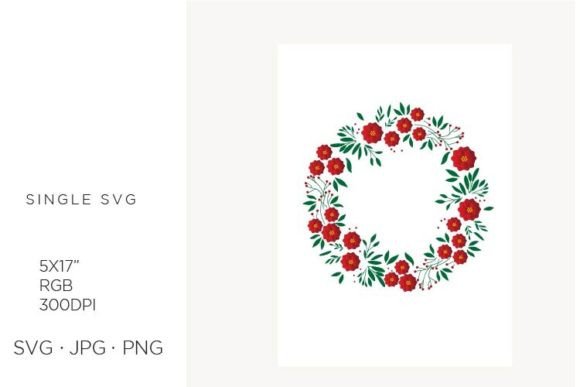
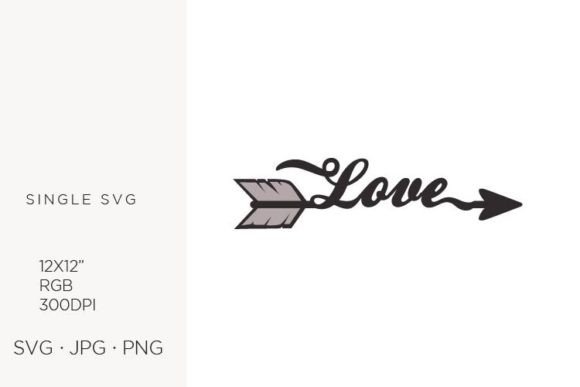
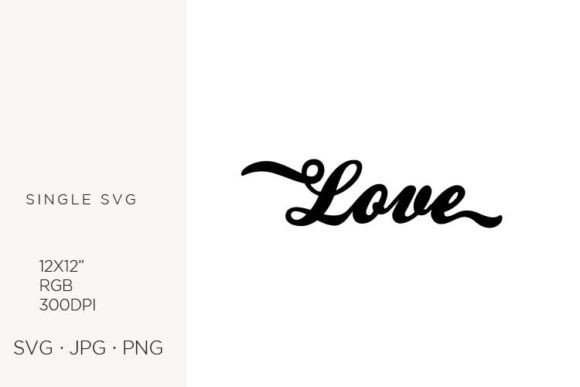
Before diving into application, it is crucial to understand the technical foundation of these graphics. The Typography Word Love collection is built on precision. Each element is crafted in Adobe Illustrator, ensuring that every curve and line is mathematically defined rather than pixel-dependent. The standard artboard size is 12 x 12 inches, with a resolution of 300 DPI in the RGB color palette. This specific configuration is intentional. While 300 DPI is traditionally associated with print, having high-resolution source files ensures that when you scale down for web use or scale up for large-format printing, the integrity of the design remains intact.
The file formats provided—SVG, JPG, and PNG—offer versatility across different platforms. SVG files are ideal for web design and scalable applications because they remain crisp at any size. JPGs are suitable for quick previews or social media posts where transparency is not required. PNGs, with their transparent backgrounds, are perfect for layering over other images in composite designs. Knowing which format to pull from your library at each stage of your project prevents unnecessary conversion steps and maintains quality control.
Strategic Placement in the Design Process
Many creators make the mistake of treating digital assets as an afterthought, searching for clipart only when a layout feels empty. A more effective approach is to consider Typography Word Love during the initial planning phase. When you are brainstorming concepts for a new logo, invitation suite, or social media campaign, ask yourself if a typographic element could serve as the focal point. By identifying this need early, you can select the appropriate vector file and build your color palette and surrounding graphics around it, ensuring visual harmony.
During the execution phase, these assets act as accelerators. Instead of spending hours hand-lettering a phrase or constructing complex typography from scratch, you can import the pre-designed vector. This allows you to focus your energy on customization and context. For instance, if you are designing a wedding invitation, you might use the base typography as the anchor and then spend your time selecting complementary floral illustrations or adjusting spacing to fit the specific names and dates. This balance between using ready-made assets and adding personal touches is key to efficient yet unique design.
Applications Across Industries and Projects
The versatility of vector-based typography means it fits seamlessly into a wide array of professional and personal projects. Here is how different users can leverage these files:
- Logo Design and Branding: Entrepreneurs and marketers can use these elements to create memorable brand marks. Because the files are vector-based, you can scale the logo from a tiny favicon to a large storefront sign without losing clarity. This consistency is vital for building brand recognition.
- Printed Paper Items and Stationery: Publishers and small business owners can incorporate these designs into business cards, letterheads, and brochures. The 300 DPI resolution ensures that printed text looks sharp and professional, avoiding the blurry edges that often plague low-resolution downloads.
- Handmade Crafts and Jewelry: Hobbyists and crafters can use the SVG files with cutting machines like Cricut or Silhouette. The clean paths in Adobe Illustrator files translate well to vinyl cuts, paper quilling, or even metal etching for personalized jewelry. This bridges the gap between digital design and physical products.
- Web and Graphic Design: Bloggers and web designers can embed SVGs directly into HTML code for lightweight, fast-loading graphics. This improves site performance while maintaining aesthetic appeal, a critical factor for user experience and SEO.
- Party Decor and Announcements: Event planners can use these templates to create cohesive themes for birthdays, weddings, or corporate events. From banners to cupcake toppers, the scalability of the files allows for uniform design across various physical items.
Workflow Integration and Compatibility
To maximize the utility of Typography Word Love, it is essential to organize your digital library effectively. Create a dedicated folder structure on your drive or cloud storage, categorized by theme or file type. When starting a new project, browse this organized library before searching external sites. This habit reduces decision fatigue and saves time.
Compatibility is another critical factor. Since the files are created in Adobe Illustrator, they work natively within the Adobe Creative Cloud ecosystem, including Photoshop and InDesign. However, SVGs are universally compatible with most modern design software, including Canva, Figma, and Affinity Designer. If you are working in a non-Adobe environment, ensure you test the SVG import to confirm that layers and groups behave as expected. Sometimes, simplifying the vector paths in Illustrator before exporting can prevent issues in other programs.
For those involved in collaborative workflows, sharing the original AI or SVG files allows team members to make edits if necessary. This transparency fosters better collaboration compared to sharing flattened JPGs, which limit creative flexibility. Always keep the master vector files archived so you can return to them for future modifications or repurposing.
Quality Control and Customization
While pre-made assets save time, they should not result in generic-looking outputs. Use the Typography Word Love files as a foundation, not a final product. Change the colors to match your brand guidelines. Adjust the kerning and leading to improve readability. Combine multiple elements to create unique compositions. For example, you might layer a typographic element over a textured background or integrate it with custom illustrations.
Pay attention to color profiles. The files are provided in RGB, which is ideal for screens. If you are preparing files for professional offset printing, convert them to CMYK in your design software to ensure color accuracy. Check for any unintended gaps or overlapping paths in the vector files, especially if you are sending them to a laser cutter or vinyl plotter. A quick cleanup in Illustrator can prevent costly production errors.
Long-Term Value and Scalability
Investing in high-quality digital assets like Typography Word Love offers long-term value. Unlike raster images that degrade with use, vector files remain pristine indefinitely. You can revisit a design from five years ago and resize it for a new medium without any loss in quality. This durability makes them a sustainable choice for businesses looking to maintain consistent branding over time.
Furthermore, as your skills grow, your use of these assets can evolve. Beginners might use them as-is for simple projects, while advanced users might deconstruct the vectors to create entirely new shapes and forms. This scalability ensures that the resource remains useful regardless of your proficiency level.
In conclusion, integrating Typography Word Love into your creative process is about more than just saving time. It is about enhancing the quality, consistency, and professionalism of your work. By understanding the technical specifications, planning their use early in the workflow, and customizing them to fit your unique vision, you can transform these digital elements into powerful tools for communication. Whether you are designing a logo, crafting a handmade card, or building a website, these vector-based assets provide the flexibility and precision needed to succeed in today’s visual landscape.